Course SC-210 · Curriculum 2026.1
From Ticket to Deploy: Running Salesforce Support with AI Agents
Run a Salesforce support queue with an AI agent and close every ticket with evidence a reviewer accepts. You will turn chat messages and screenshots into Agent_Task records, reproduce and classify each defect before anyone changes the org, verify the fix as the person who reported it, and keep long agent runs auditable with checkpoints and a ledger.
Written for: In-house Salesforce administrators and developers who carry a support queue, and consultants at Salesforce partners who run support for client orgs.
- Estimated effort
- 14 hr
- Lessons
- 27
- Modules
- 7
- Material
- 14 hr
Estimated effort is the sum of the lesson and lab times in the course outline, for this version of the course.
Canadian dollars, tuition for this one course, per learner or per seat. Self-paced with graded labs and weekly office hours. 180 days of access from the training start date, or from purchase when you buy for yourself. Sales tax extra. No subscription or licence fee.
1 lesson free to preview
The ShareCo certificate needs 70% on the final assessment, scored on our servers, and the capstone passed. Distinction: 90%. Finishing the lessons does not issue it.
01What you will learn
6 capabilities, stated as things you can do
Each one is what you should be able to do at the end, not what the course covers. If an outcome is not testable, it is not an outcome.
- Convert an informal request, such as a chat message or a screenshot, into a reproducible Agent_Task with steps, the affected user and an acceptance check.
- Reproduce a reported defect in a practice org with SOQL and the Salesforce CLI, and save the output, before any change is made.
- Classify a ticket as access, data, automation, reporting or integration, and run the first diagnostic query that category calls for.
- Verify a fix under the requester's permissions with Login-As, a System.runAs test or a browser check, and state what each method does not prove.
- Produce completion evidence a reviewer accepts: a closed Agent_Task, a Change_Log__c record and a plain-language reply to the requester.
- Design a long-running agent run that writes checkpoints and a ledger, so a person can audit it, stop it and resume it.
02Curriculum
7 modules, 27 lessons
Every lesson shows its length and its type, from the course outline.
7 modules · 27 lessons · 14 hr of material
4 lessons, 3 graded.
- ReadingWhy the queue lives in Salesforce, not in chatPreview15 min
- LabThe Agent_Task record, and where each fact goesGraded.30 min
- LabPrompt lab: turn a chat message into a reproducible ticketGraded.40 min
- LabWhat a screenshot proves, and what it does notGraded.25 min
4 lessons, 3 graded.
- WalkthroughReproduce first, or say you could not20 min
- LabSOQL lab: reproduce five reported symptomsGraded.45 min
- LabSave the reproduction where a reviewer can read itGraded.25 min
- Org labReproduce a Harbourlight ticket in your own orgGraded lab, verified in your own Developer Edition org.30 min
4 lessons, 3 graded.
- ReadingFive categories, and the first query for each25 min
- LabTriage drill: classify twelve ticketsGraded.35 min
- LabWhen the category is wrong: the invoice ticket that movedGraded.25 min
- CheckCheck: route the ticket from the evidencePractice. Does not count toward the certificate.25 min
4 lessons, 3 graded.
- ReadingLogin-As, System.runAs and a browser check, and what each proves20 min
- LabWrite a System.runAs test that actually checks field accessGraded.40 min
- LabA browser check as the requester, with no password in the repoGraded.30 min
- Org labVerify a fix as a Harbourlight coordinatorGraded lab, verified in your own Developer Edition org.35 min
4 lessons, 3 graded.
- ReadingWhat a reviewer needs before a ticket closes20 min
- Org labWrite the Change_Log__c record and close the ticketGraded lab, verified in your own Developer Edition org.35 min
- LabPrompt lab: the reply the requester actually readsGraded.25 min
- LabClose the Agent_Task from the terminal, then re-query itGraded.25 min
4 lessons, 2 graded.
- ReadingSilence is not success20 min
- ReadingCheckpoints and a ledger an operator can read25 min
- LabHooks and permissions that keep a long run in its laneGraded.35 min
- CheckCheck: stop a run, read the ledger, resume itPractice. Does not count toward the certificate.25 min
3 lessons, 2 graded.
- ReadingBrief: ten tickets from Harbourlight staff and Northshore crews15 min
- CapstoneCapstone part 1: five Harbourlight ticketsGraded capstone. Required for the certificate.1 hr 15 min
- CapstoneCapstone part 2: five Northshore field ticketsGraded capstone. Required for the certificate.1 hr 15 min
03Look inside
What the lessons look like
Figures from this course, and screens from the lesson player. One lesson is free to try with an account. The rest open when you buy, because the graded labs are the course.
The lesson player
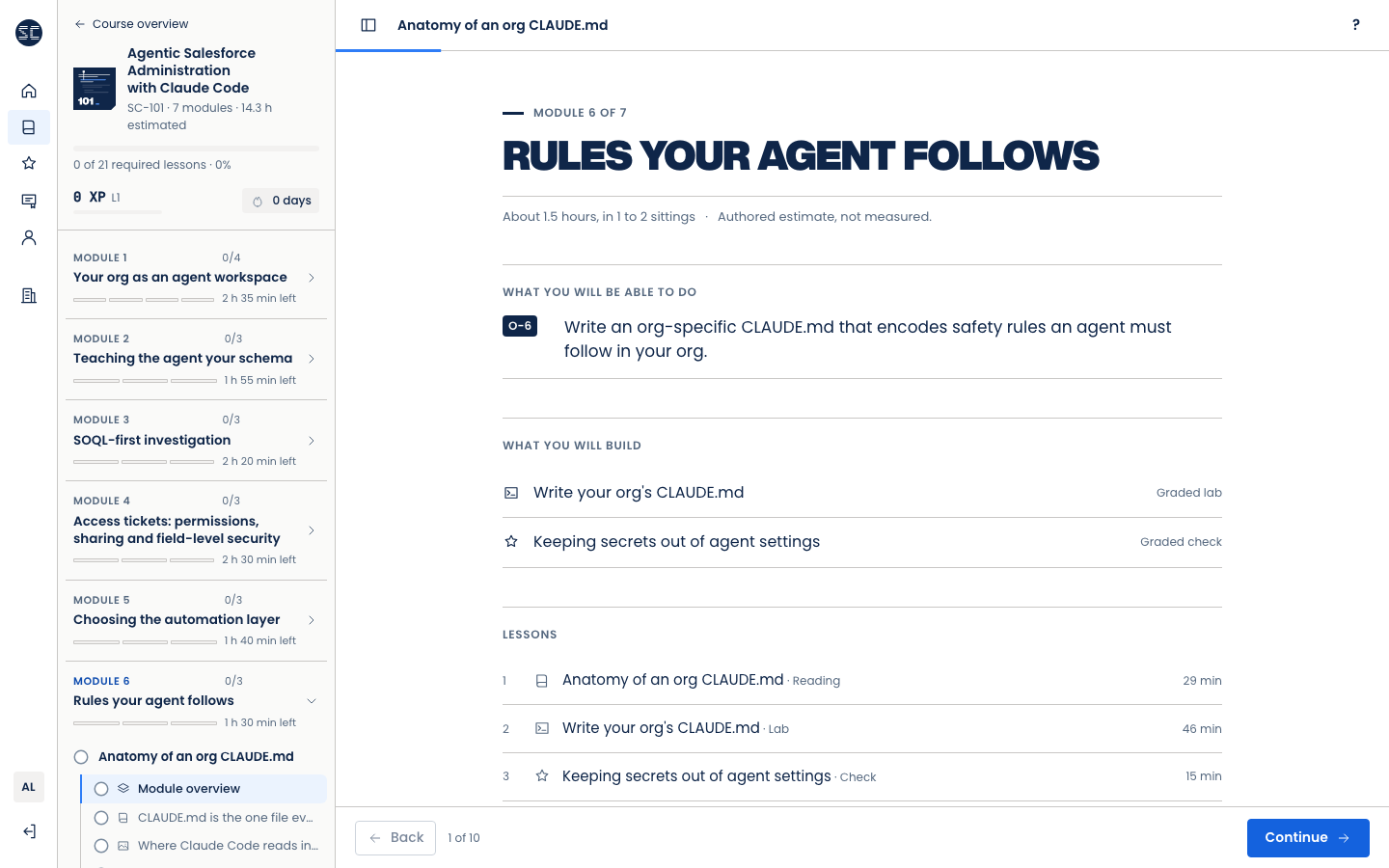
A module opens with what you will be able to do, what you will build, and how long each lesson takes. From SC-101.
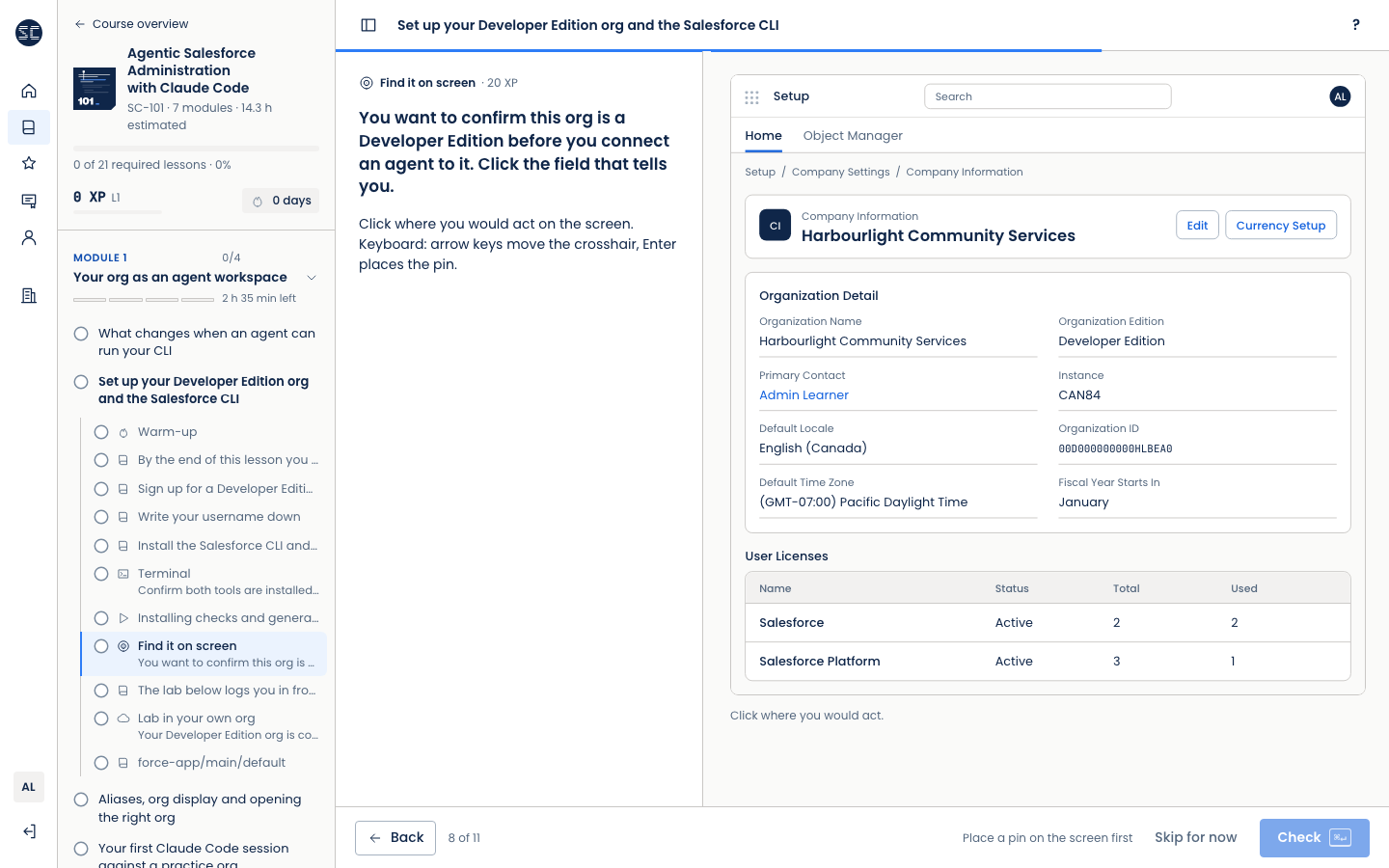
One step per screen. Here a graded task asks you to find the right field on a Setup page. The practice org is fictional. From SC-101.
Figures from the lessons

Where each fact goes on an Agent_Task

What a reviewer reads before closing

One ticket, start to finish
04Before you start
What you need first
Assumed knowledge and setup
- SC-101 or equivalent experience: an authenticated Salesforce CLI alias, basic SOQL and permission sets
- Two Salesforce Developer Edition orgs, one per practice org. Developer Edition orgs are free; set-up steps are in Module 1
- Claude Code access (Claude Pro or Team plan, or an Anthropic API key), provided and paid for by the employer. Not included in tuition. Learners must not pay for any part of this training.
- Node.js 20 or later (free) for the browser check in Module 4
Before this course
No other course is needed first.
05Who teaches it
Elliot Saha
Co-founder, Chief Technology Officer
Platform architecture, custom Apex and Lightning Web Components, AI systems, and the Academy platform itself.
06Reviews
No learner reviews yet
This course has not been taken by enough people to publish an honest rating, and we will not print invented quotes on a page that sells verification discipline. Here is what we can evidence instead.
- Assessment
- Server-scoredThe answer key never reaches your browser. The certificate needs 70% on the final assessment, scored on our servers, and the capstone passed. Distinction: 90%.
- Curriculum version
- 2026.1You enrol into a version. Content changes do not move you mid-course, and your required-lesson count is snapshotted at enrollment.
- Refunds
- 14 daysAn individual purchase can be refunded within 14 days if you have completed less than 20% of the lessons. Team seats are refundable before they are assigned. From the Academy terms.
ShareCo Academy: From Ticket to Deploy: Running Salesforce Support with AI Agents
- Credential
- Specimen
- Hours
- 14 hr
Assessed by Issued for 70% on the final assessment, scored on our servers, and the capstone passed. Distinction: 90%. Module quizzes are practice and do not count.
Salesforce CertifiedA ShareCo certificate is not a Salesforce certification.
Specimen seal. A real credential carries a code and a verification link.
Buy this course
One course. Two ways to buy it.
A ShareCo certificate is issued on a passing server-scored assessment. It is not a Salesforce certification.
For yourself
$1,290
One enrollment for you. Access opens when payment clears and lasts 180 days. Canadian dollars, before sales tax.
Not grant-funded. If your employer is claiming the BC Employer Training Grant, your employer buys seats instead.
One lesson from Module 1, free with an account. No card.
For your team
Seats for your own employees, with a training start date. Assign them by email after checkout.
Applying for the BC Employer Training Grant? Check the basic criteria and download the grant kit for your application.
ShareCo is not affiliated with WorkBC; grant approval is not guaranteed. ShareCo Academy is a private training provider. The employer applies, and training cannot start before the application is submitted. We recommend waiting for WorkBC’s decision before training starts. Any reimbursement is paid to the employer, is up to 80% of eligible costs, and is taxable income to the employer. Source: WorkBC, BC Employer Training Grant, criteria effective March 23, 2026, checked October 10, 2026.
07Questions